
Over the past several years, I’ve seen thousands of blogs and websites, and in 90% of cases, people create new websites, publish some content, and start waiting for traffic.
If your website isn’t receiving enough traffic, you aren’t alone. In the beginning, exactly the same thing happens with all websites and businesses.
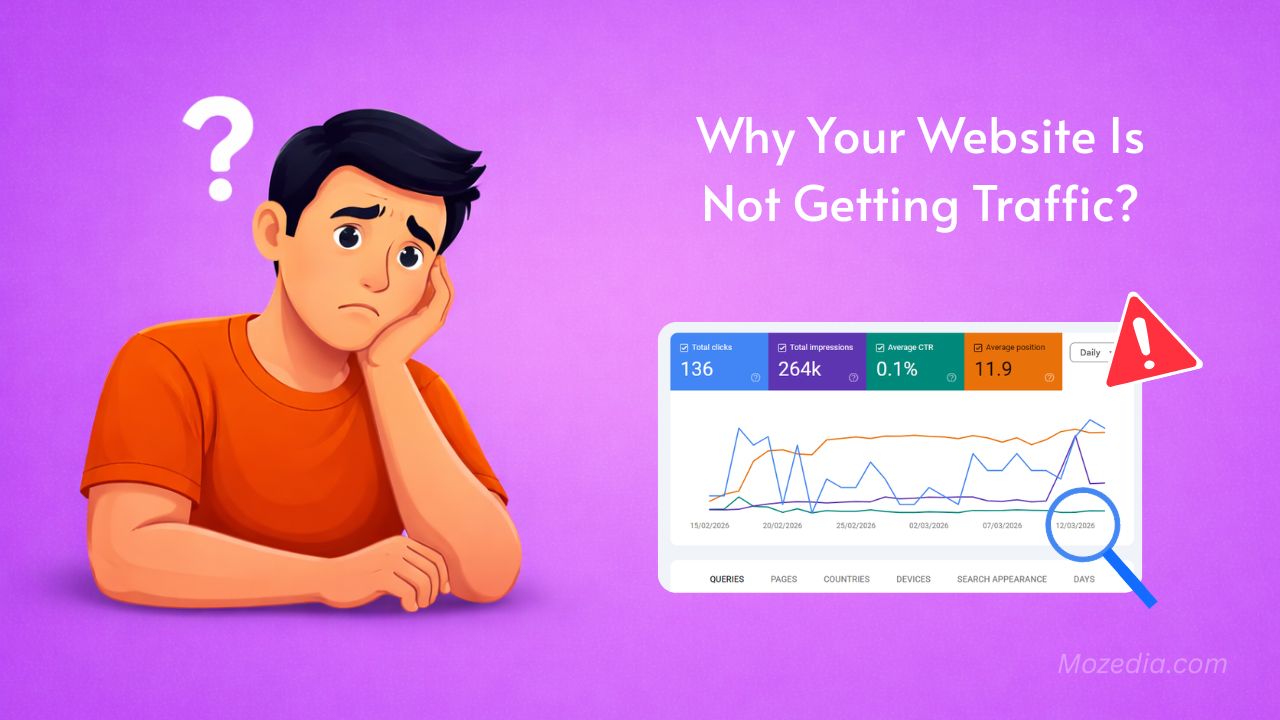
However, if you have been publishing quality content on your site for a long time, this is a cause for concern. If that is the case, you need to pay attention on it.
In this article, I’m going to explain the real reasons behind low website traffic, along with practical solutions and strategies that I have personally applied in my websites.
Why Your Website Is Not Getting Traffic – 12 Big Reasons and Solutions
Initially, I, too, believed that you could simply “publish content and the traffic would follow”… but the reality is completely different.
We are now in a new era, and Google has become much smarter and now understands content more deeply than ever before.
Consequently, traffic now flows exclusively to websites featuring helpful and trustworthy content, let me now tell you real reason why your website isn’t getting any traffic.
If your website is not getting traffic, it is usually due to poor keyword targeting, low-quality content, weak SEO, slow speed, or lack of backlinks.
By fixing these issues and creating helpful, optimized content, you can significantly increase your website traffic.
1. Targeting the Wrong Keywords
This is the biggest mistake people make. They build a website and simply start writing articles on any random keyword. Websites like this never get any traffic.
Keywords serve as the foundation of SEO. Instead of conducting proper research, many businesses fall into the trap of guessing what people are searching for.
The result is that the content they create fails to align with the actual needs of their audience.
If you are not targeting the right keywords, your website will not appear in search results.
How to Target Right Keywords?
To get started, use free keyword research tools such as:
You can also use our free Mozedia keyword generator tool to identify long tail keywords that have a high search volume but low difficulty.
Don’t simply chase after generic terms like “marketing”, Instead, focus on more specific phrases, such as “my personal experience” or “my favorite restaurant.”
The closer your content aligns with the actual searches being performed by users, the better your chances of attracting organic traffic from google search.
You can also read this guide on People Also Ask keywords to find better search queries.
2. Low Quality or Thin Content
Many people, in their rush to publish a large number of articles quickly, neglect the quality of their content. This is precisely why their websites fail to attract traffic.
If your content is only 400–500 words long and lacks depth, lacks proper explanation, or is entirely AI-generated devoid of any human touch, Google will not rank it.
Google no longer looks solely at keywords; it now also evaluates whether your content provides a complete and accurate answer to the user’s query.
If your article is incomplete or lacks depth, users will quickly leave after reading it, causing your rankings to drop even further.
The result is that, regardless of how many articles your website hosts, they fail to appear at the top of search results, and consequently, no traffic is generated.
How to Fix This Problem?
You must prioritize quality over quantity.
- Write every article to be at least 1,000 words long.
- Explain the topic in comprehensive detail.
- Include real-world examples and practical information.
- Incorporate an FAQ section to ensure all user queries are addressed.
- Create content that genuinely solves a user’s problem.
When your content is detailed, useful, and user-focused, Google will gradually begin to rank it, and your website will start attracting organic traffic.
If you are struggling with thin content, read this detailed guide on:
3. Content Isn’t Properly Optimized for SEO
Many people write excellent content, but they do not optimize it correctly for SEO. This is the reason why their articles fail to rank on Google search results.
Simply writing content is not enough; it is also essential to structure it in a way that search engines can easily understand.
If your SEO is weak, no matter how excellent your content may be, it will fail to reach the right audience.
Common Mistakes:
- The title is not properly optimized.
- The H1, H2, and H3 heading structure is incorrect.
- Keywords are not placed correctly.
- Internal linking is not implemented.
Due to these errors, Google struggles to understand what your article is about and which keywords it should rank for.
What Is the Solution?
To resolve this issue, you must focus on basic SEO principles:
- Use a proper heading structure (H1, H2, H3).
- Naturally incorporate your main keyword into the title and introduction.
- Strategically place keywords throughout your content (avoid keyword stuffing).
- Add relevant internal links to boost your site’s authority.
When your content is properly SEO-optimized, Google understands it more effectively, and its ranking in search results begins to improve.
4. Website Haven’t Trust Signals
Google doesn’t just evaluate your content; it also assesses how trustworthy your website is.
If your site lacks trust signals, neither Google nor AdSense will take it seriously.
Many websites fail to rank despite having excellent content simply because they lack basic trust elements.
This leads Google to perceive the site as unreliable or unlikely to be a long-term entity.
If your website is missing essential pages, such as:
- About Us
- Contact Us
- Privacy Policy
it constitutes a major negative signal.
These pages are particularly crucial for obtaining AdSense approval.
The consequence is a diminished level of trust in your site, which negatively impacts both your search rankings and your chances of approval.
How to Fix This Problem?
You need to establish your website as a professional and trustworthy platform.
- Provide accurate information about yourself and your website.
- Ensure your “Contact Us” page includes an email address or a contact form.
- Clearly outline information regarding user data within your “Privacy Policy” page.
When all these trust signals are present on your website, Google recognizes your site as genuine, thereby boosting both your search rankings and your chances of securing AdSense approval.
5. Your Website Loads Very Slowly
Website speed has become a major ranking factor in today’s digital landscape. If your website takes too long to load, users will leave immediately without waiting.
A slow website not only degrades the user experience, but Google also ranks such sites lower in search results.
In other words, if your site is slow, the chances of attracting traffic automatically decrease.
Today’s users demand a fast experience. If your website takes longer than 2–3 seconds to load, the bounce rate increases, which has a direct impact on your rankings.
The result is that, no matter how excellent your content may be, both users and Google will begin to ignore it due to slow loading speeds.
How to Fix This Problem?
First, you need to check your website’s speed and then optimize it.
- Test your site’s speed using tools like Google PageSpeed Insights.
- Compress large images to ensure faster loading.
- Remove or minimize unnecessary plugins.
- Enable browser caching.
- Use a lightweight theme.
If speed issues persist even after implementing these steps, you should also evaluate your hosting provider.
Often, the entire website slows down due to cheap or inadequate hosting. You can follow this complete guide on website speed optimization.
When your website is fast, users stay on the site longer, the bounce rate decreases, and Google begins to assign your site a higher ranking.
6. Your Content Is Not Valuable or Original
Google and other search engines prioritize content that provides genuine value to users.
If your website contains only generic, repetitive, or repurposed information, it will not achieve a high ranking.
In today’s digital landscape, users seek not merely information, but concrete solutions and actionable insights in just few seconds.
If your content fails to offer anything new or simply reiterates what others have already said, users will quickly abandon your website.
This leads to an increased bounce rate, which Google interprets as a negative signal. You can also learn how to write engaging articles.
Consequently, while your content may get indexed, it will fail to rank effectively and will not generate traffic.
How to Fix This Problem?
You must create content that is distinct, useful, and genuinely solves your users’ problems.
- Understand your audience’s questions and create content.
- Identify popular queries using tools such as “Answer the Public.”
- Provide clear and direct answers to every question.
- Avoid simply summarizing other people’s content.
- Incorporate your own experiences, insights, and real-world examples.
When your content is unique and genuinely helpful, users spend more time engaging with it, and Google begins to assign it a higher ranking.
7. You Failed to Analyze the Competition
Many people, when writing an article, fail to check which articles are already ranking on Google. This is a major mistake.
The top results that appear on Google are inherently strong. They possess high-quality content, proper SEO, and authority.
If you write content that is weaker than theirs without conducting any prior analysis your chances of ranking become extremely slim.
Simply identifying a keyword and writing an article based on it is not enough.
You must understand the specific type of content that Google favors for that particular keyword.
The consequence of this is that while your article does get published, it remains buried in the search results and fails to attract any traffic.
How to Fix This Problem?
You must understand the competition before you begin writing your content.
- Carefully analyze the top 5 results on Google for your target keyword.
- Observe the type of content they are providing (in terms of length, structure, and examples).
- Identify their shortcomings and address them more effectively within your own article.
- Incorporate greater depth, clearer explanations, and practical examples into your content.
When you create an article that is superior to, and more useful than the existing content, Google will gradually begin to assign you a ranking, and traffic will start flowing to your website.
8. You Did Not Include Real Experience
In today’s digital landscape, Google doesn’t merely look for information; it also evaluates whether that information is backed by real-world experience.
This concept is known as E-E-A-T (Experience, Expertise, Authoritativeness, Trustworthiness).
Many articles are technically accurate but lack a personal touch or practical insight. Google considers such content to be generic and does not assign it significant importance.
If your content is based solely on theory and lacks any real-world experience, users will not find it particularly useful either.
They will quickly navigate to another site, which subsequently impacts your search rankings.
The result is that while your article may get indexed, it fails to reach the top positions in search results.
How to Fix This Problem?
You need to infuse your content with real-world experience and practical value.
- Incorporate your own personal experiences into the content.
- Provide real-life examples that users can relate to.
- Include case studies to clarify concepts further.
- Explain not just the “what,” but also the “how” and the “why.”
When your content is experience-based and genuinely helpful, users place their trust in it, and Google, in turn, begins to reward it with higher rankings.
9. You Are Not Getting Enough Backlinks
Backlinks, that is, links pointing from other websites to yours are one of the most critical factors in SEO. They signal to Google that your content is trustworthy and authoritative.
If your site lacks high-quality backlinks, it becomes difficult for Google to gauge the true value of your website.
This is precisely why achieving high rankings remains a challenge, even if you possess excellent content but lack backlinks.
In today’s competitive landscape, simply publishing content is not enough. Your authority cannot be established until other credible websites refer to your site.
Consequently, your content gets left behind in search results, and you fail to attract organic traffic. You can also learn how to increase domain authority.
How to Fix This Problem?
You must actively work on building backlinks.
- Engage in guest posting on websites related to your niche.
- Write articles that are genuinely useful to their audience.
- Include a link to your website naturally within your content.
- Create shareable content,
- such as detailed guides, case studies, or original research.
As your website begins to receive backlinks from other trusted sites, your domain authority increases; Google then starts assigning your site higher rankings, which, in turn, leads to a surge in traffic.
10. Your Website Is Not Mobile-Friendly
In today’s world, the majority of people access the internet via their mobile devices. If your website does not function correctly on a mobile phone, users will abandon it immediately.
Google now also prioritizes “mobile-first indexing,” meaning it determines your site’s ranking based primarily on its mobile version.
If your website does not display correctly or is difficult to use on a mobile device, it has a direct negative impact on your rankings.
Such websites often suffer from the following issues:
- Content does not fit the screen properly
- The text is difficult to read
- Buttons are too small
- Navigation is confusing
The result is a poor user experience, an increased bounce rate, and Google ranking your site lower in search results.
How to Fix This Problem?
You need to make your website completely mobile-friendly.
- Use a responsive design that automatically adjusts to fit every screen size
- Ensure the text remains readable and the font size is appropriate
- Use large, easily clickable buttons
- Keep your menus simple and ensure easy navigation
- Remove unnecessary elements to ensure fast loading speeds
You can check your website’s mobile-friendliness using Google’s Mobile-Friendly Test tool.
If your site performs well on mobile devices, users will stay on your site longer, and Google will subsequently improve your search rankings.
11. Overlooking Technical SEO Fundamentals
Technical SEO may sound a bit complex, but it plays a pivotal role in your website’s ranking.
If your site is not technically sound, Google will be unable to properly crawl and index your content.
Search engines utilize crawlers to scan your website.
If your site suffers from technical issues, these crawlers may miss important pages or fail to interpret your site correctly.
Some common technical problems include:
- Broken links
- Duplicate content
- Outdated or missing sitemaps
- Incorrect robots.txt settings
Due to these issues, many of your website’s pages may not get indexed in Google at all, thereby reducing the chances of attracting traffic.
The result is that even your high-quality content fails to appear in search results. Also read how to reduce spam score.
How to Fix This Problem?
You must regularly monitor your website’s technical health.
- Check for indexing issues and errors using Google Search Console.
- Conduct a site audit using tools like Screaming Frog.
- Fix broken links.
- Properly redirect outdated URLs.
- Keep your XML sitemap updated.
- Verify your robots.txt file to ensure that essential pages are not being blocked.
When your website is technically robust, Google can crawl and index it with ease, leading to improvements in both your rankings and traffic.
12. Your Website Design Is Misleading or Outdated
Website design isn’t just about aesthetics; it directly impacts both user experience and SEO.
If your site looks outdated, confusing, or difficult to use, users won’t stick around for long.
When a visitor lands on your website and can’t figure out where to click or where to find the information they need, they will exit immediately.
This increases your bounce rate, a metric that Google interprets as a negative signal.
Websites with outdated or poor designs often suffer from the following issues:
- Unclear navigation
- A messy layout
- Fonts that are difficult to read
Important information is not easily accessible
The result is reduced user engagement, causing your search engine rankings to gradually decline.
How to Fix This Problem?
You need to make your website simple, clean, and user-friendly.
- Keep your navigation menu clear and easily accessible
- Use a clean, clutter-free layout
- Ensure readable fonts and proper spacing
- Maintain consistent branding (colors, style, etc.)
- Place Call-to-Action (CTA) buttons in strategic locations
Remember: a truly effective website is one that quickly guides the user to the information they need, without any confusion.
Having a website with low traffic is not a permanent problem.
In most cases, the underlying causes are clear and fixable.
Whether it involves proper keyword selection, SEO optimization, or design improvements, every small change can enhance your website’s overall performance.
You can follow this step-by-step guide on Yoast SEO setup to properly optimize your content. If you want to learn more, check our complete guide on how to start a blog.
Instead of trying to change everything at once, identify and address one specific problem at a time, and track the results.
By consistently working in the right direction, your website will gradually achieve higher rankings, and your traffic will begin to grow.
FAQs about Low Traffic of Website in 2026
Here are some questions who help you understand low traffic reasons.
Why is my website not getting traffic?
Your website may not be getting traffic due to poor SEO, low-quality content, wrong keywords, or lack of backlinks.
How long does it take to get traffic?
It usually takes 1–3 months for a new website to start getting traffic if proper SEO is applied.
Can I get traffic without backlinks?
Yes, but it is difficult. Backlinks help increase authority and improve rankings faster.
Final Strategy (That Actually Works):
If you want to get traffic, follow this simple formula:
- Publish 20–30 high-quality articles
- Keep each article between 1000–2000 words
- Do proper SEO optimization
- Make sure to add internal linking
- Maintain consistency for at least 30–60 days
Conclusion
If your website isn’t receiving enough traffic, it doesn’t mean that your work is worthless; rather, it implies that there is a shortcoming somewhere in your strategy.
In most cases, the problem isn’t a major issue in itself,
but rather a combination of small errors, such as incorrect keyword selection, weak content, wrong SEO, slow speed, or an absence of trust signals.
What I have learned from my own experience is that success in blogging does not happen overnight.
It requires a combination of three things:
- Consistency
- Patience
- and the right approach
All you need to understand is this:
- What the user wants
- What Google prefers
- And how you can strike a balance between the two
If you create high-quality, useful, and experience-based content, and ensuring that your SEO are good, then attracting traffic to your website is virtually guaranteed.
Instead of taking shortcuts in an attempt to achieve quick results, focus on executing a long-term strategy and build quaility content, authority and trust.
Always remember that doing the right work, consistently and steadily, is what yields lasting results over the long haul.
- You can also check my blogging lessons where I’ve shared real experiences from my journey.
If you continue to move forward by constantly learning and making improvements, your website, too, will eventually achieve stable traffic and strong rankings.




Leave A Comment