
Twitter Shadowban Test – A Best X Ban Checker Tool (Free & Safe) 2026
This is a free twitter shadowban test tool to check if your X account is shadowbanned or not, like search suggestion ban, ghost ban, and reply debooting instantly.
Today, many users on X (formerly Twitter) feel that their tweets are not getting the same reach as before, likes are down, and replies are scarce.
Sometimes it feels like their account has become invisible. This is called Shadouban, where the reach of your account is reduced.
The biggest problem is that Twitter/X doesn’t provide any clear information or warnings about this, which leaves you confused.
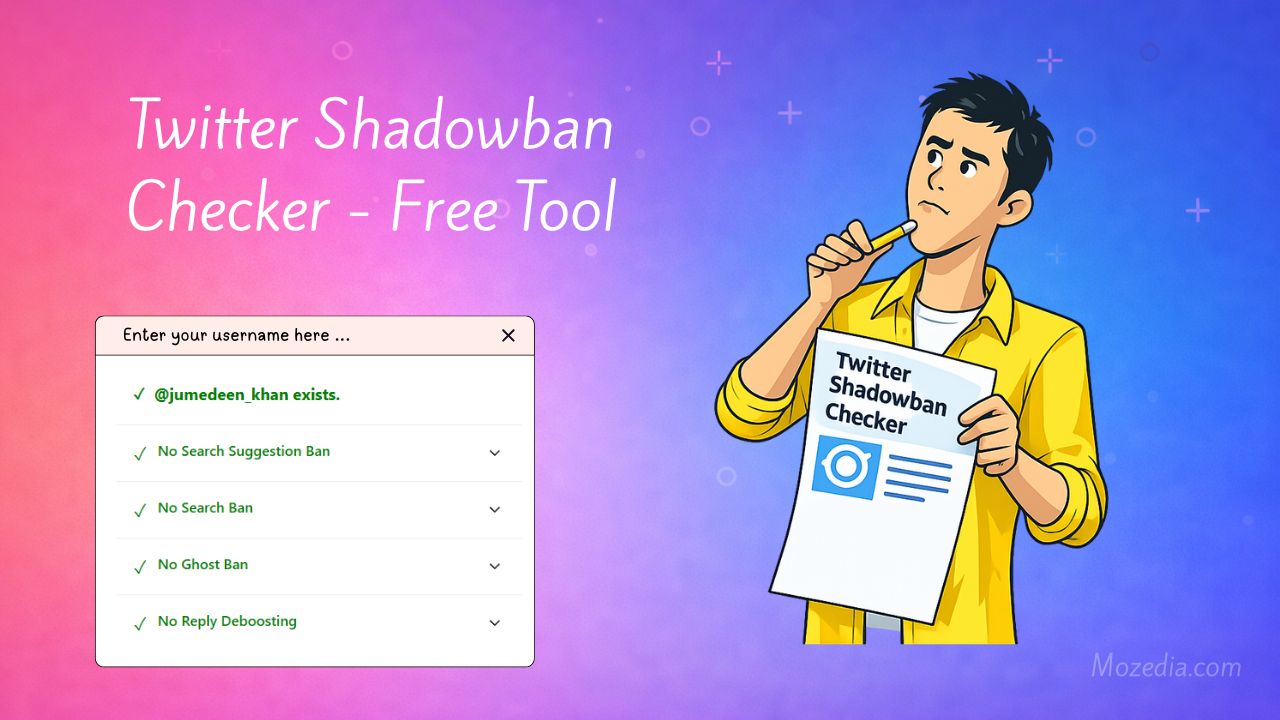
If you are also confused about your account and think that your account has been banned, you don’t need to worry.
This free Twitter shadowban checker tool was created to clear up this confusion and will help you detect if you’ve been shadowbanned.
This tool helps detect hidden restrictions (shadowban twitter) placed on your account.
What is a Shadowban?
A shadowban on Twitter is a type of hidden restriction. Your account isn’t completely shut down, but your reach is silently reduced.
From the outside, everything seems normal, but internally, your content isn’t reaching people. You can tweet, reply, and like posts, but your activity is practically invisible to others.
This is why many creators feel that their efforts are going to waste.
In short, twitter shadowban means that:
- Your account is active
- You can tweet
- But your visibility is secretly reduced
In other words, X (formerly Twitter) hides your content from others without informing you.
How does this Twitter Shadowban Test Tool Work?
This X shadowban tool is very easy to use. You simply enter your username and click the “Check” button, and the results will be displayed in a few seconds.
- Simply enter your
@usernameand click the “Check” button.
This tool is completely free, and you don’t need to provide your personal info, tool analyzes your account’s public visibility in various ways and displays detailed results below.
This clearly shows you whether or not there are any hidden restrictions on your account.
Understanding the Result Sections in the Tool:
This tool checks for different types of shadowbans. Each section has its own meaning and impact, which is crucial to understand.
1. Search Suggestion Ban?
When someone types a user’s name on X, suggestions appear in the search bar. If your username doesn’t appear in these suggestions, its called a Search Suggestion Ban.
In this ban, your account technically remains active, but new people cannot easily find you.
This makes it very difficult to gain followers and achieve organic reach.
2. Search Ban?
A Search Ban is slightly more serious.
In this case, your account or your tweets do not appear in search results at all, even if someone searches for your full username or an exact keyword.
The direct effect is that your content is limited to your existing followers and doesn’t reach new users.
3. Ghost Ban?
A Ghost Ban is the most frustrating. In this case, you reply to a tweet, but your reply is not visible to others.
Your replies are especially hidden on popular or viral tweets.
You think you’ve replied, but in reality, your reply doesn’t become part of the discussion.
4. Reply Deboosting?
In Reply Deboosting, your replies are visible, but they are deliberately pushed down.
Often, these replies are hidden under “Show more replies.”
Because of this, people don’t see your replies, and the chances of getting likes or replies are significantly reduced.
How accurate is this Shadowban Checker?
This tool works by analyzing publicly available signals on X, such as whether your username appears in search suggestions, the presence of your account or tweets in search results, and the visibility of your replies.
The tool checks how visible your account is to other users and whether your replies are appearing normally or are subject to any restrictions (such as a reply ban or deboosting).
While this tool provides a fairly accurate indication and gives you a clear idea of your account status, the final decision and control always rest with Twitter systems and algorithms.
Why does Twitter apply a Shadowban?
There can be several reasons for a X shadowban. Sometimes, the user doesn’t even know they’ve done anything wrong.
Sharing links repeatedly, using automated tools, using too many hashtags, or aggressive activity in a short period of time.
All of these can seem suspicious to Twitter’s system, and restrictions may be placed on the account.
What to do to Remove a Shadowban?
If the shadowban test tool detects a shadowban, there is no need to panic. In most cases, this restriction is temporary.
Maintain normal activity for some time, avoid spammy behavior, and follow Twitter’s rules. Usually, the account returns to normal within a few days.
We have already written a detailed guide about this, read it and follow the steps mentioned in it.
Before applying any fix, it’s important to understand shadowban, so please read this guide carefully, I am sure your your twitter shadowban fix definitely.
Is this Twitter Shadowban Checker Tool safe?
Yes, this twitter shadowban test tool is completely safe. It does not ask for any personal information or require you to log in to your account.
It only checks visibility based on public data, so there is no privacy risk.
Important Note (Disclaimer):
This tool is not an official Twitter/X tool. It is simply an analytical tool that shows results based on available public signals.
The final control always rests with Twitter, so the results should be taken as an indication only.
Twitter Shadowban Checker FAQs
When your reach on Twitter (X) suddenly drops, you stop receiving likes or replies, or your posts are no longer visible to others, many questions arise.
Below are the answers to the most common and important questions related to this Twitter Shadowban Checker tool, so you can understand it better.
1. Does this Tool Provide Completely Accurate Results?
This tool works based on publicly available signals on Twitter (X), such as username visibility in search results, tweet search visibility, and reply behavior.
In most cases, this tool provides accurate indications, but since Twitter’s algorithm is not entirely public, it should not be considered the final word.
2. Is this Tool Safe to Use?
Yes, this tool is completely safe. You don’t need to log in with your Twitter account, and no password or personal information is requested.
It only analyzes publicly available data.
3. What should I do If My Account Shows a Shadowban?
If the tool indicates a shadowban, there is no need to panic. Such bans are often temporary.
Tweet normally for a while, avoid spam-like behavior, and follow Twitter’s rules.
4. How long does It Take for a Shadowban to be Lifted?
The time it takes for a shadowban to be lifted can vary for each account.
In many cases, it is automatically lifted within a few days, while in some cases, it may take a little longer. Patience is key during this time.
5. Does Twitter itself notify Users About Shadowbans?
No, Twitter usually does not provide any notification or warning about shadowbans.
This is why users don’t understand why their reach suddenly decreases. This tool helps to resolve this confusion.
Conclusion
If the reach of your tweets has suddenly decreased, replies seem to be missing, or your growth has stalled, this tool provides clarity.
The Twitter (X) Shadowban Checker is useful for creators, marketers, and regular users alike who want to check their account visibility.