
Thinking about starting a blog in 2026 but don’t know where to begin? You’re in the right place. This ultimate step-by-step guide will help you launch a successful blog blog in just a few minutes.
In this complete step-by-step guide, you’ll learn how to create a successful blog the right way from choosing a niche to launching your, even if you have no prior experience.
Starting a blog in 2026 is one of the best ways to share your ideas, build an online presence, and even make money online.
Whether you want to blog as a hobby, grow a personal brand, or create a full-time income source, blogging is still highly relevant and accessible for beginners.
You can start your blog with these 10 simple & easy steps,
So let’s get started now without delay.
- How to Start a Successful Blog in 2026 with Zero Experience?
- 1. Select a Perfect Niche for your Blog
- 2. Choose a Name & Register a Domain
- 3. Choose a Best Blogging Platform
- 4. Buy a Good Web Hosting for your Blog
- 5. Install WordPress Correctly
- 6. Install a Theme & Required Plugins
- 7. Customize & Optimize your Blog
- 8. Write & Publish your First Post
- 9. Share your Blog & Drive Traffic
- 10. Monetize your Blog & Start Earning
- Conclusion,
How to Start a Successful Blog in 2026 with Zero Experience?
This guide walks you through 10 simple, proven steps to launch a blog the right way that can grow traffic, trust, and income, even if you’re starting from zero.
You can easily create your own blog by following the steps given here, even if you don’t know anything about blogging.
In the next few minutes, you will have a ready and running blog.
1. Select a Perfect Niche for your Blog
To start a blog, you have to choose a profitable niche, from which you can blog for many years and earn a lot.
While choosing a good topic for yourself or your blog, you must keep the following things in mind.
- Interest: Choose a topic that interests you the most and is passionate about.
- Audience: Make sure there are enough audience interested in your niche and they are searching for it.
- Profit: While choosing a blog topic, keep in mind how much profit is there in its field and how much can earn?
Always choose a topic of your interest that you know and understand very well, and keep reading about it so that you never feel bored in it.
Here is a detailed guide that will help you find a perfect niche.
2. Choose a Name & Register a Domain
After choosing the right topic for your blog, you have to choose a perfect domain name (which will be your blog name) for your blog.
For example, the domain of our site is mozedia.com, and you also need to choose a domain name for your blog, which will be the URL of your site.
These 5 rules should generally be followed when choosing a domain name:
- Easy to remember
- Easy to type
- Easy to pronounce
- Easy to brandable
- and Keep it Short
As far as possible, register .com top-level domain. Otherwise, you can choose .org and .net or choose a country-level domain like .in (for India).
Sub-step 2: Register a Domain Name
After choosing a domain name for your blog, you need to register it, you can register a domain name from
But wait, it is not needed, when you buy web hosting for your blog, you will get the domain for free. This is explained in the step 4.
3. Choose a Best Blogging Platform
By the way, there are many blogging platforms out there, such as WordPress, Weebly, Joomla, Wix, BlogSpot, and many more.
But we will always recommend WordPress because it is the most popular CMS and the best blogging platform.
According to W3Techs, 42.5% of all websites on the Internet are built on WordPress and most bloggers recommend it.
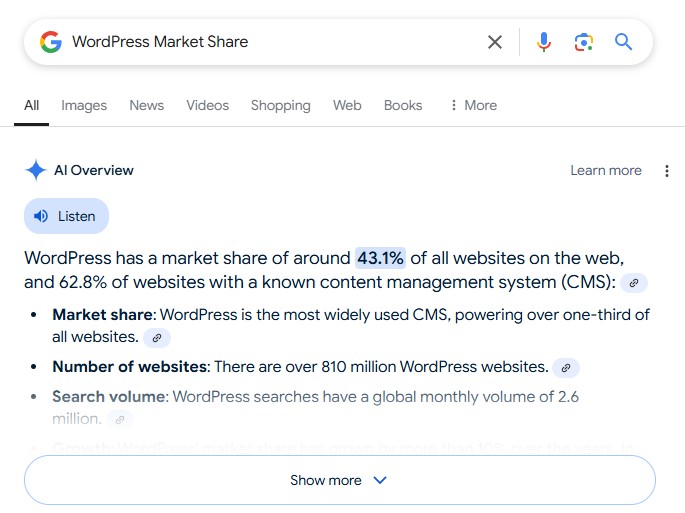
You are reading this blog right now. We have built it on WordPress itself so that you can choose it without worry.
Remember, we are talking about self-hosted WordPress (WordPress.org), not WordPress.com.
4. Buy a Good Web Hosting for your Blog
After choosing a blogging platform, you need to choose a best web hosting to keep your blog live on the internet.
Web hosting is the server where your site’s data (like your blog design, images, text content) is stored.
There are many web hosting providers here, but you have to choose the best among them. For this, we will recommend you to
Because even WordPress itself officially recommends it.
Bluehost will be the best choice because it provides all the features you need to build a blog. Such as the following,
- Free Domain
- Free SSL Certificate
- Unlimited Storage
- Unlimited Bandwidth
- Easy to understand cPanel
- 1-click WordPress Installation
- Expert 24/7 live chat support
- 30-day money back guarantee
And the best part is that it costs only $3.95/month, which is valuable for beginners. Otherwise, you have to pay up to $10/month.
If you are from India, we recommend you choose
If you need help, We have already told you about buying hosting from Bluehost in another article, which you can see here,
After buying web hosting, you can start again from here.
5. Install WordPress Correctly
Now you have to need to install WordPress and then setup it correctly. You can do it through a one-click installation of Bluehost.
If you are not aware of this and you need help with WordPress installation, then you can take help of our following article,
- How to Install WordPress the Right Way (Complete Guide 2026)
After installation, you need to configure it, such as blog name, blog description, permalink structure, avatar sizes and much more.
6. Install a Theme & Required Plugins
After creating a blog, you need to choose a good theme for it. You can find free themes from the WordPress directory via WordPress Dashboard => Appearance => Themes.
Or, you can choose a premium WordPress theme for your blog. For this, we recommended the following theme
Genesis Framework- GeneratePress
Astra Themes
These are all the most used top WordPress themes. Plus, they are also the best WordPress theme.
Sub-step of #6: Install Some Important Plugins
Now is the time to install the necessary plugins in your WordPress blog, which will help you to customize your blog and add some extra features.
There are 50,000+ WordPress plugins here. But we are mentioning only those plugins which should be installed from the beginning of blogging.
- Yoast SEO: First of all you have to choose a plugin that will improve the SEO of your site and this plugin is best suited for this.
ShortPixels : It is an image optimization WordPress plugin that helps to improve the performance of your website.Jetpack by WordPress.com : This plugin brings many of the most powerful features from WordPress.com to your self-hosted WordPress.- WP Super Cache or W3 Total Cache: These are both the best cache plugins. Autoptimize is also a great cache plugin.
There are many more plugins to tell, but the above plugins are enough to get you started.
7. Customize & Optimize your Blog
You have to optimize your blog for SEO to come in search engine results, and people can easily reach it.
For this, you need to do the following,
1) Set up title and description for your blog
You can set up it via Yoast SEO Plugin. This plugin lets you do all the setup that is needed for SEO. For example, meta tags, sitemaps, robots.txt, search engine submission, on-page SEO and much more.
2) Search Engine Submission
You have to submit your blog to almost all the popular search engines so that the searchers in all of them can find your blog.
Among them, Google and Bing (Yahoo) are the most popular and if you come from China, you can also submit your site to Baidu.
Remember, you need to submit the sitemap of the website to search engines along with your website.
3) Create Social Media Accounts for your blog
It would help if you created a profile for your website on all social media sites to share your site content on them, and people can connect to your site.
This primarily includes Facebook, Twitter, LinkedIn, Pinterest, Instagram and YouTube. All these platforms will help in increasing the traffic of your site.
4) Setup Email Newsletter for Send Notifications
To send your new post notification to your visitors, you need to setup email marketing and add an email newsletter.
For this, you can use email marketing software like Mailchimp, which comes with a free plan. The free plan comes forever and allows you (up to 2,000 contacts).
Mailchimp is the best overall email marketing software because it provides most businesses’ features without being overly complicated or confusing.
You can also use an RSS feed service like Google FeedBurner to send notifications, but it’s currently in maintenance mode, so you can use its alternative
5) Add Important Pages on your Blog
Before writing a post on your blog and sharing it publicly, you should create some important pages on your blog.
Here are some important pages that you should have on your blog. You can take ideas from other blog pages to make these.
- About Us
- Contact Us
- Privacy Policy
- Terms of Services
These are all important pages. Apart from these, you can also add some other pages to your blog according to your needs.
8. Write & Publish your First Post
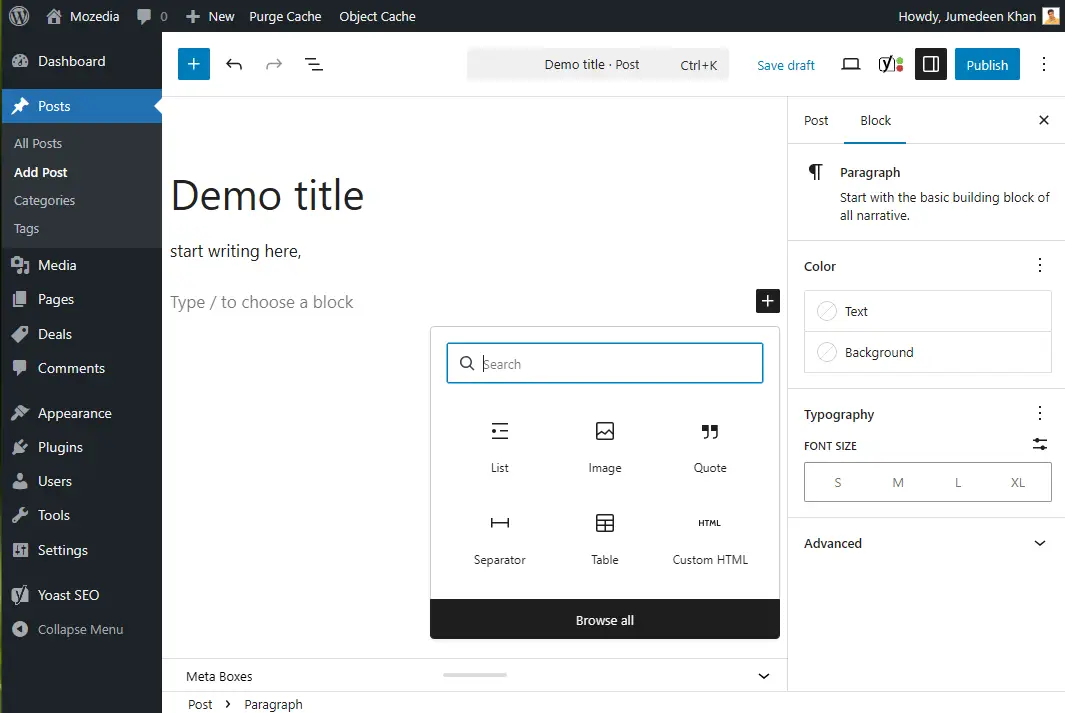
Now you need to write the first post on your blog, but you need to know how to write a good post?
Hereby quality post, we mean a post that is useful and helpful to your audience. You can take the help of our SEO articles to write quality posts.
If you want, you can start your first post with a welcome post.
You have to tell why you have created this blog and what kind of information you are going to share on it, and what is the purpose of your blog?
9. Share your Blog & Drive Traffic
Now you have to show your work to the whole world. You can use different methods to promote your blog.
Social media platforms come first in this, where you can promote your blog for free. If you have the budget, then you can also do paid promotions for your blog.
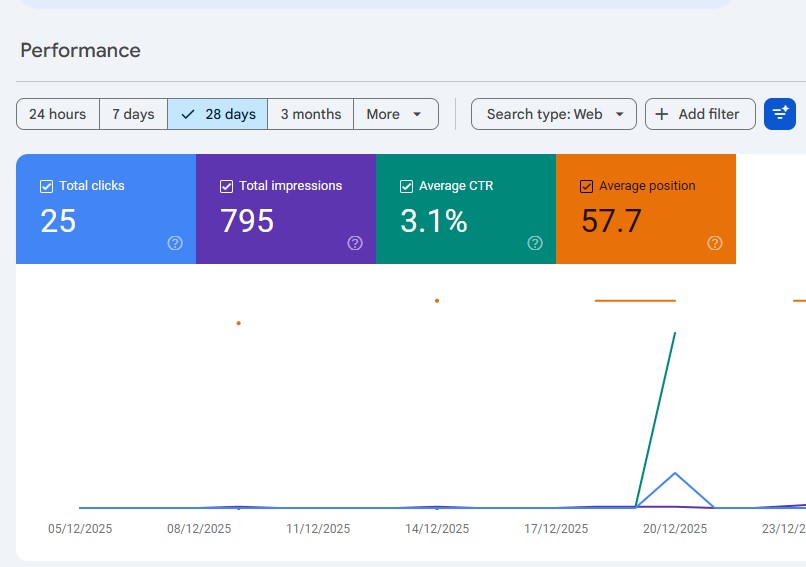
For this, you can use Google Ads, Facebook Ads, Twitter Ads, Instagram Ads, Press Releases. Or, you can hire a good marketer for this.
Drive Traffic on your Blog
Now it’s time to bring traffic to your blog. For this, you have to rank your blog post in first or top position in search engines like Google, Bing, Yahoo. For this, you have to learn about SEO.
SEO means search engine optimization. That is, you have to optimize your blog for search engines so that it can get the top rank.
We have written many articles about SEO, in which everything is explained in detail, so for this, you can also see our SEO tutorials.
10. Monetize your Blog & Start Earning
The last step is to monetize your blog, but we highly recommend that you should not monetize your blog immediately.
In the first few months, you should only focus on writing useful & quality content and driving traffic to your blog.
When you have written a sufficient number of quality posts on your blog and traffic starts coming in, you can monetize it and start earning money.
You can monetize your blog in the following ways,
- Advertisements
- Affiliate Marketing
- Sell your Products
- Offer Services
- Sponsored Posts
- and much more
To know about all these in detail, you can read our this article,
When you monetize your blog successfully, then income will start coming from your blog. How much the income will depend on your audience and site traffic.
This method has failed so many individuals and businesses because they didn’t build an audience before starting it.
So be patient and before monetizing your blog, work on increasing your blog traffic and build a good audience for it.
Conclusion,
In this article, we have told you about “How to Start a Blog with right way” in detail and easy-to-understand language and now you can create your own blog easily.
We have set it in only 10 steps because making more steps can confuse you, making you understand everything easily.
But still, if you don’t understand something else, you can ask your question through the comment form below. We will do everything possible to help you.
Also read:
Happy blogging! Wishing you an amazing journey ahead. 🙌🎉



Is blogging worth in 2026?
Great guide Jumedeen sir! It is very clear and helpful for beginners. I have been reading your blogs since 2015, first SMI and now Mozedia is becoming my favorite blogging resource!
Thank you so much! Glad to have you with me since the SMI days. 😊🙏
Exactly what I needed as a beginner! The steps were super clear and easy to follow. Feeling excited to finally launch my blog — thanks a ton!
So glad to hear that! Wishing you all the best as you launch your blog. 😊
This guide is gold! As someone completely new to blogging, I found your step-by-step approach super easy to follow. Feeling much more confident to finally launch my blog, thank you!
Thank you! I’m really happy to hear it made things easier for you. Wishing you all the best on your blogging journey — you’ve got this! 😊
Don’t waste your time on WordPress, just try Medium blogging, you don’t have to pay any money for domain and hosting.
Dear Chaitanya, WordPress gives you full control, Medium doesn’t.
Hello! If there’s anyone who can give the best advice for beginners, it’s you.
yes dear! I’ve been looking for this for a long time, thanks.
Yes David, we tried to help beginners to setup blog easily.
Thank you for sharing this post, it was very helpful, you explained everything as simple, I really like it.
Thank you, glad to know you found our guide useful!
Fantastic guide, man! Your article about start a blog is absolutely accurate. The content is very easy to understand, and I know it will help a lot of beginners.
Thanks so much, I tried my best.
The information is very easy to understand and has helped me a lot in blogging, thanks!
Your welcome, glad you found our guide helpful!
This guide is incredibly helpful for me to setting up my new blog, thanks.
Thank you very much. 😅