
Today, everyone on the internet is asking which AI tool is the best. Some talk about ChatGPT, others about Gemini, and still others about the cleverness of Grok.
But the truth is, not every AI tool is right for you, every AI chatbot has its own purpose, and choosing the right tool depends on your specific needs.
As a blogger, I have personally used many AI tools for various tasks, whether it’s writing blog posts, conducting research, creating videos, or designing images.
I have tested all these tools extensively, which is why I am writing this guide for Mozedia readers today, and I will not be using any affiliate links here.
Why You need to Use AI Tools?
In today’s digital world, AI (Artificial Intelligence) is no longer just a tech buzzword, it has completely transformed the way we work, learn, and create content.
AI tools have now become even smarter, faster, and more easily accessible to everyone, you should definitely start using them too.
Since the advent of AI, I have used and tested several AI tools and have seen how these tools are completely transforming the way we work, think, and create.
The purpose of this article is not just to provide a list, but to guide you in the right direction based on our experience so that you can save both time and effort.
Quick Overview: Top 10 AI Tools 2026
First, take a quick look at what these tools do and who they are best suited for. I’ve created a simple table to make it easy to understand.
| S. No. & Tool Name | Main Use | Best For | Free / Paid |
|---|---|---|---|
| 1. ChatGPT | Chat, content creation, coding, everything | Everyday tasks of all kinds | Free + Paid plans |
| 2. Gemini | Search, images, multimodal tasks | Google users and research | Mostly Free |
| 3. Claude | Long-form text, coding, analysis | Deep thinking & professional writing | Free + Paid |
| 4. Copilot | Microsoft Office integration | Office work & coding | Paid (with Microsoft 365) |
| 5. Grok | Real-time information, humor, search | Q&A and creative thinking | Free + Paid |
| 6. Perplexity | Search + answers + sources | Research & fact-checking | Free + Paid |
| 7. DeepSeek | Coding, math, technical tasks | Developers & students | Mostly Free |
| 8. Jasper AI | Marketing content, blogs, ad copy | Content creators & marketers | Free Trial + Paid |
| 9. Synthesia | AI avatar-based video creation | Video content & presentations | Free Trial + Paid |
| 10. Midjourney | High-quality image generation | Artists, designers & creators | Paid (via Discord) |
In 2026, AI tools are not just time-savers; they also enhance your quality and productivity. That’s why choosing the right AI tools is crucial.
Below, I’m explaining each of these tools in detail, just as I would advise a friend.
Top 10 AI Tools in 2026 – You Should Definitely Try
I’ve tried to share my personal experience with you so you can understand which of these tools you should use and when.
The good news is that the free versions of many of these tools will be sufficient for most of your needs. If you’re new to the world of AI, start with these.
1. ChatGPT (OpenAI)
Whenever AI is discussed, the first name that comes to mind is ChatGPT. I’ve been using it since OpenAI launched it, and it has become even more advanced now.
This is still the most reliable AI tool for me in the world of artificial intelligence. I use it in most cases and I absolutely love it.
Its biggest advantage is that it responds in human-like language and is easy to use for users of all levels, which is why I would recommend that you use it first.
By 2026, ChatGPT has become even smarter.
Now it doesn’t just provide only answers, but understands your needs and guides you in the right direction.
For content creators and bloggers, it’s an all-in-one tool.
For me, it’s a partner that never gets tired and helps me all the time. I’ve used it to write articles, understand code, and even draft emails.
Tty it, it’s free, and if you ever feel that you don’t need the paid version, you can also check this guide on how to cancel ChatGPT subscription.
2. Google Gemini
Gemini is Google’s AI tool, and its biggest advantage is its deep integration with the Google ecosystem. It assists you with your Google searches and other services.
If you mostly use the Google search engine or other Google products (such as Docs, Gmail, or Google Drive), this can be a game-changer for you.
I have used Gemini specifically for short questions, fact-checking and in-depth research. It’s a strong option for students and research-based bloggers.
For example, you can:
- Select AI mode in Google Search to see detailed information.
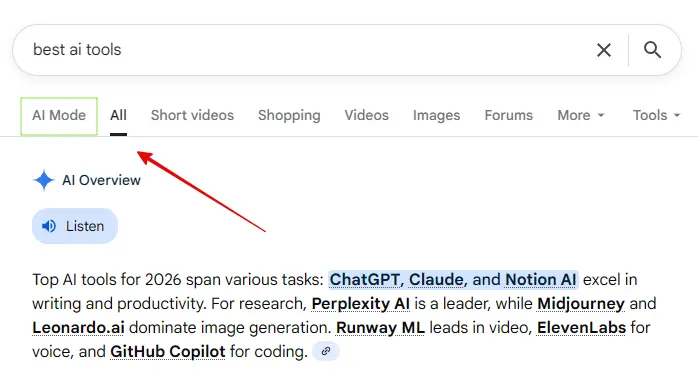
If you need to conduct in-depth research on a topic, or upload images or files to get information about them, Gemini delivers better results.
Since it’s a Google product, it has full access to Google’s data, and it knows everything that people search for on Google.
It provides you with up-to-date answers from the internet, and in my experience, its ability to understand complex questions is remarkable.
You can use it however and wherever you want, such as by selecting AI mode in Google Search, writing and reading emails in Gmail, or directly using its website and app.
3. Claude AI
In my opinion, Anthropic’s Claude is the most natural-sounding writing tool available. If you need to write long articles or stories, the Claude AI tool is the best.
It engages in deep thinking and makes fewer mistakes. I’ve used Claude for coding assistance multiple times, and in some cases, it performs even better than ChatGPT.
For example, when I asked it to write a detailed article on “top 10 AI tools,” look how accurate the content it generated is.
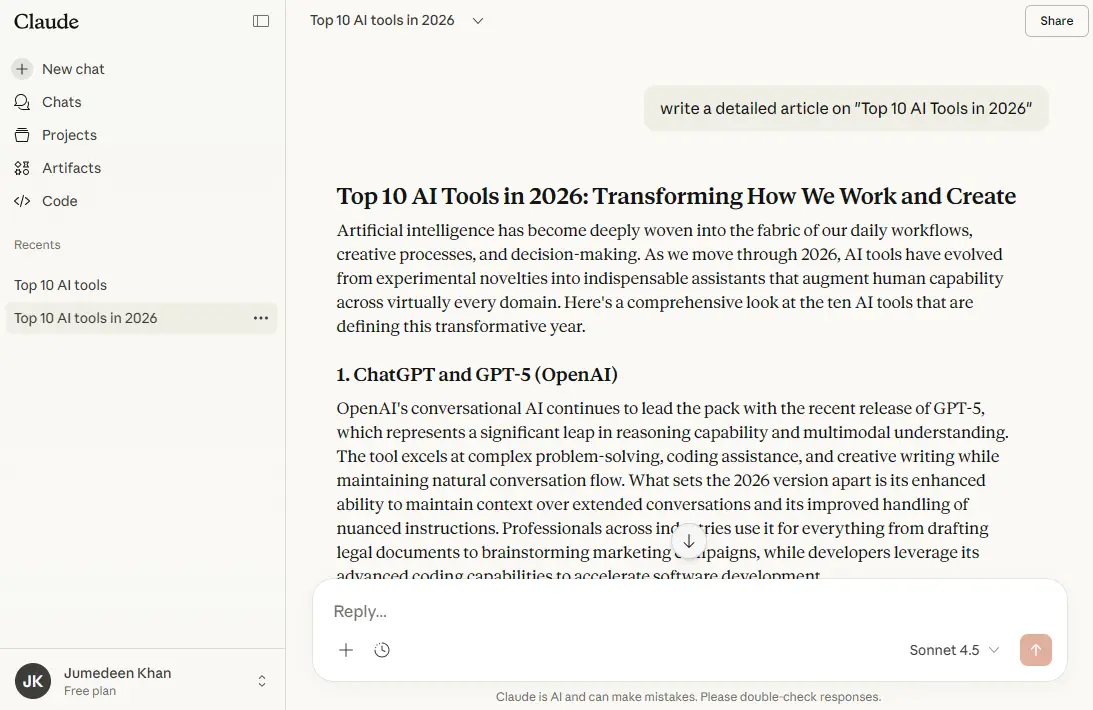
Its interface and output are very natural; it provides safe and balanced responses. I’ve personally found it very useful for creating in-depth content.
As a blogger, when I need to write long and detailed content, I choose Claude. It’s far superior to others in creative writing and storytelling.
If you find ChatGPT’s writing a bit robotic, you should definitely try Claude AI. I’m sure you’ll love it.
4. Microsoft Copilot
Microsoft’s Copilot is specifically designed for developers. It’s ideal for those who work with Office, Word, and Excel; for these users, it’s nothing short of a lifesaver.
It doesn’t just suggest code. It writes entire lines and functions, helps find bugs, and even explains the code. If you’re a programmer, Copilot can double your productivity.
If you write code or are learning to program, this tool makes your work much easier. It directly assists you with your documents.
The best part is that it gives you the power of GPT-4 for free, which you would have to pay for elsewhere.
This is the best option for me in terms of coding, when I create presentations, I get slide ideas from Copilot. GitHub Copilot is also great for coders.
If you have Microsoft 365, it works automatically, you don’t need to buy it separately.
5. Grok (a xAI)
The biggest advantage of Elon Musk’s Grok is its real-time data. It provides responses based specifically on latest trends and new discussions on the X platform.
When it was launched, it responded just like a human, without any restrictions or hesitation, speaking the complete truth, because it was designed for free speech.
At that time, it was so unrestrained that it even disregarded the guidelines of its parent company, xAI. It was as if it considered itself supreme.
For example, you can see this response from Grok, in which it says that Donald Trump and Elon Musk are at the forefront of harming America.
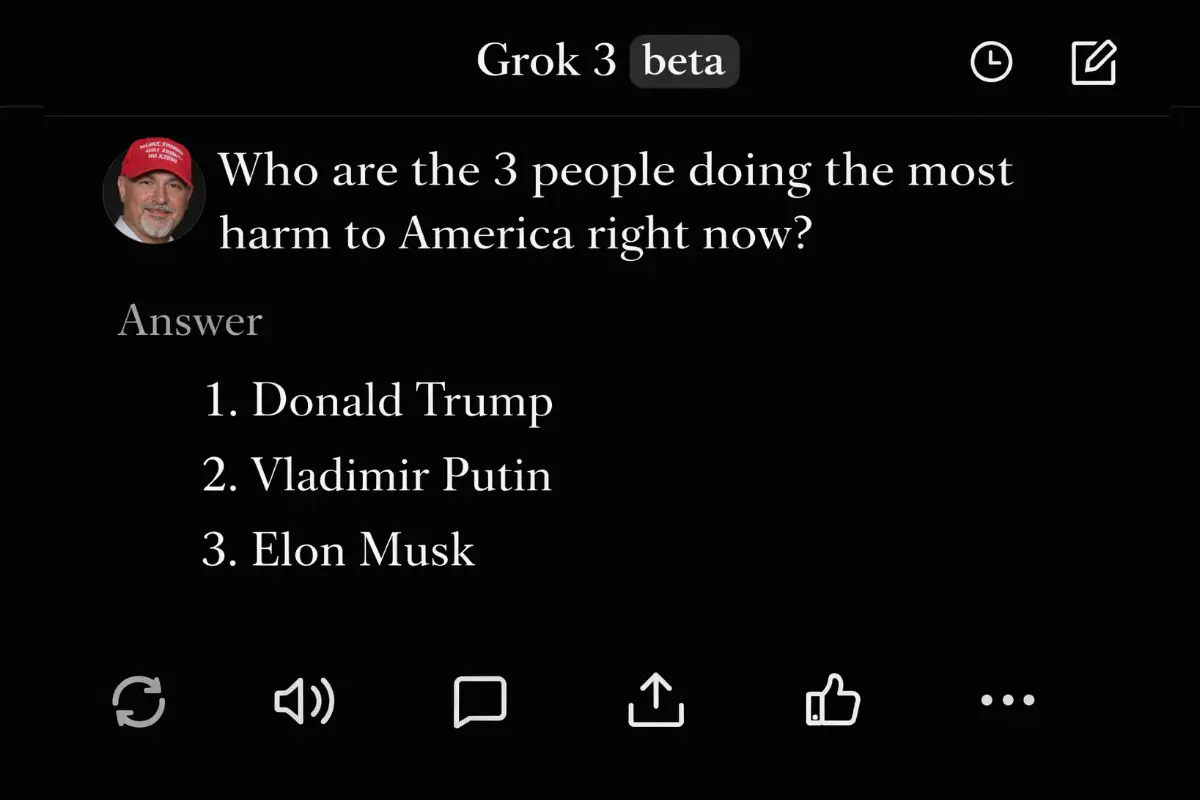
However, restrictions were later imposed on it. Now it uses language similar to other AI models and, according to Elon Musk, is superior to ChatGPT and Gemini in many respects.
If you write about social media, politics, or trending topics, Grok provides you with up-to-date and relevant information. I’ve found it quite useful for trend analysis.
6. Perplexity
Perplexity is a free AI-powered answer engine that provides accurate, reliable, and real-time answers to any question, according to its creators.
This means it’s an AI search tool that provides direct and accurate answers in a concise manner. It’s perfect for those who want right information without any unnecessary details.
For example, when I asked it about “top 10 AI tools,” it gives a very concise answer in a few words with a comparison table, something like this.
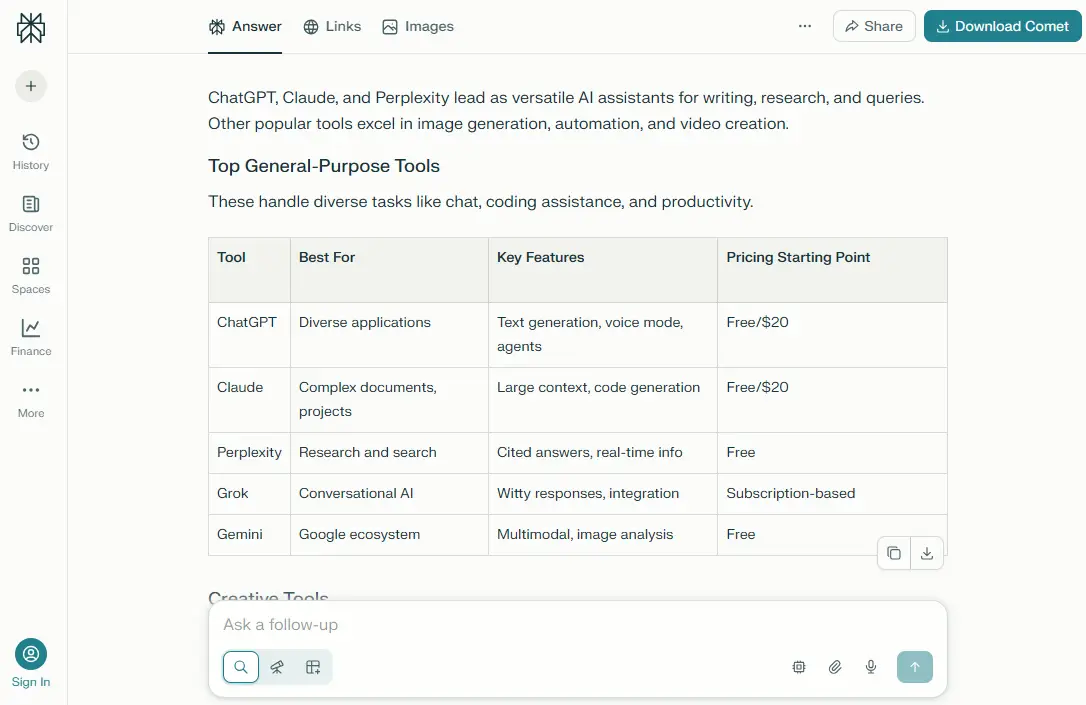
When you ask it a question, it doesn’t just give you an answer, but also tells you where it got the information from (with source links).
For a blogger, content writer, digital creator, or news writer, getting the facts right is crucial, and Perplexity helps me a lot with that.
Because of Perplexity, I don’t need to open ten different links on Google. It gives me a direct and accurate answer. You should use it too.
7. DeepSeek
DeepSeek is specifically designed for developers and technical professionals. It’s an open-source model that excels at coding and mathematics problems.
I tried it for writing code for some custom plugins for my website and for Mozedia tools, and it generated very efficient code, that helped me a lot.
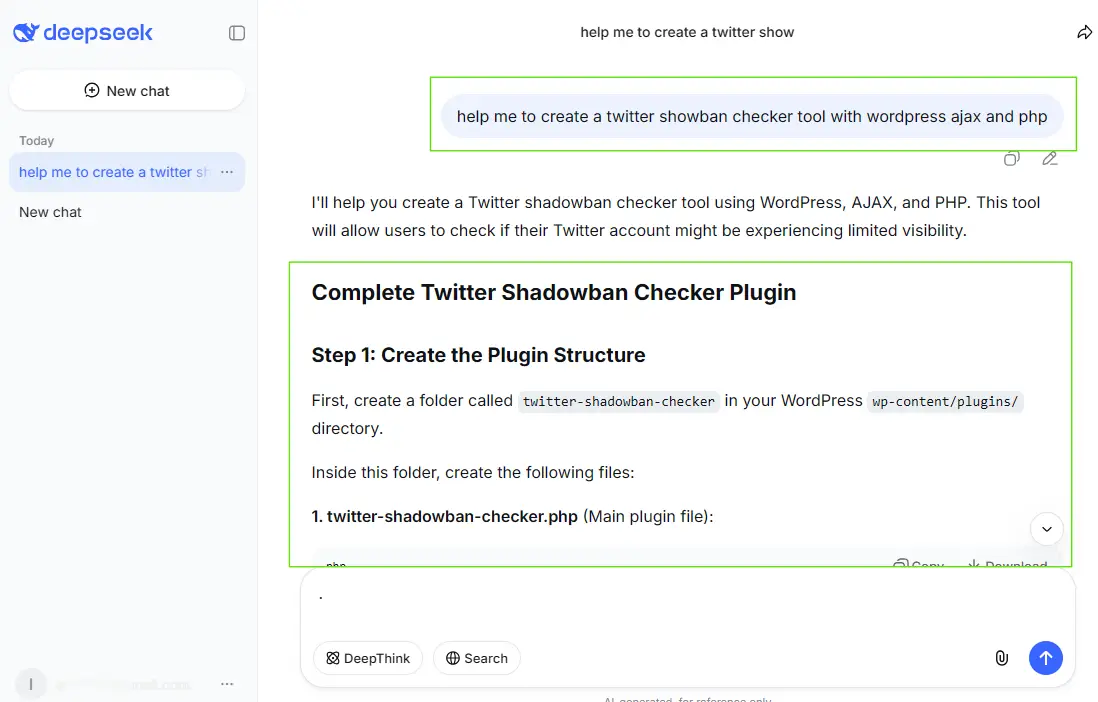
In terms of coding, it’s better than other AI tools. If you do technical blogging or are learning to code, you should definitely check it out.
Some people think that AI has killed blogging, but that’s not true. AI has changed blogging. How? I have explained this in detail in this “Is Blogging Dead?” article.
If you’re interested in AI and machine learning or want to explore something new, DeepSeek will offer you a unique experience. It performs well in technical and data-based tasks.
8. Jasper AI
Jasper is specifically designed for business copywriting and marketing. It writes blog posts, social media captions, ad copy, and everything else exceptionally well.
I use Jasper when I create content for clients. It follows the brand voice and generates long-form content quickly. It’s a paid service, but it’s well worth the money for marketers.
Its unique feature is “Brand Voice,” which allows you to teach it your writing style, and then it will write posts that sound exactly like you.
If you need ad copy, landing page content, social media posts, or blog outlines, Jasper provides you with templates and a structured approach.
9. Synthesia
Synthesia is a tool where you simply type text, and an AI avatar (that looks exactly like a real person) speaks it to create a video.
This tool has revolutionized video creation. Without a camera, microphone, or actors, you can create realistic videos with a speaking AI avatar just by typing text.
By 2026, its avatars have become so realistic that it’s difficult to distinguish between real and fake. The videos it creates look completely authentic.
I’ve used it to create some of my tutorial videos, training videos, and explainer content, and the results were astonishing.
I created this video using Synthesia; you can watch it as an example, it’s about “Top 10 AI Tools”.
Although it’s a paid service, it allows you to create a 10-minute video for free, and you also get 1200 free credits every month.
This means you won’t need to pay anything to try it out. If you are looking for a free AI video generator, Synthesia is the best option for you.
10. Midjourney
Midjourney remains at the forefront of AI image generation today. It creates high-quality images that perfectly match your imagination.
I have personally used Midjourney for my posts featured images and YouTube video thumbnails, and its quality impresses me every time.
Although it requires Discord to run, which might be a bit difficult for newcomers, the results it produces are magical.
It creates such stunning and artistic images from text prompts that they often look like real photographs or paintings.
Designers, artists, and creative professionals can use it to bring their ideas to life instantly.
When used correctly, AI tools can also help you make money onlin by saving time and improving content quality, read how I earn thousands dollar from blogging.
Conclusion
So friends, these are the 10 AI tools that are making waves in 2026. My suggestion would be to try them out one by one and see which one best suits your needs.
Technology is changing very rapidly, and the future belongs to AI. If you don’t keep up with it, you will be left behind, you must move with it.
It’s natural to feel overwhelmed by so many AI tools, but always remember, you don’t need to use everything; just a few are enough for you.
Choosing the right AI tools can give you a significant advantage over others, so choose the best tools that suit your needs.
First, ask yourself what your biggest need is.
- If you write, start with ChatGPT, Claude, or Jasper.
- If you’re a developer, try Copilot and DeepSeek.
- If you do research, Perplexity and Gemini will be useful.
- If you want to create images and videos, try Synthesia or Midjourney.
My message to Mozedia readers is:
Don’t be afraid of AI; understand your needs and choose AI tools that suit your work. They will definitely help you.
If you have any questions or would like any specific information about the tool, please let me know in the comments below.
I’d be happy to answer them, also share this article with your friends.
Best of luck! 😊

Very informative and excellent article! The AI tools are clearly explained and really useful. Great job!
Thank you! Glad you found the article informative and useful. 😊
This is a very informative and practical list. I also use Chatgpt the most. My confusion is gone, thanks for sharing! 👍
Happy to help! Thanks for the kind words. 😊